Set up Git Sync and connect GitHub
Updated Nov 13, 2026 · 1 min read
Setup is one connection to GitHub and takes about a minute.
1. Choose Connect GitHub
The dashboard offers this until a repository is connected. It takes you to GitHub to install the Git Sync GitHub App on your personal account or on an organisation. Pick the account that owns the repository you want to back up to.

2. Give it one repository
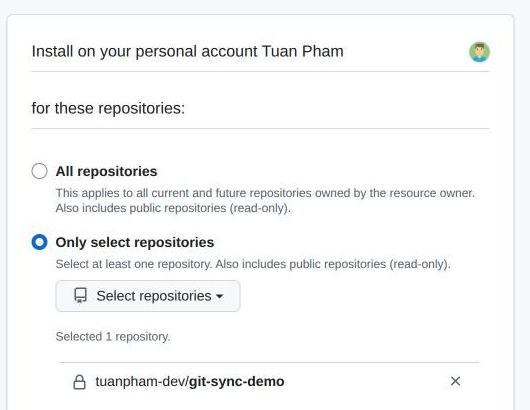
On GitHub, choose Only select repositories and pick the one for your backup. Git Sync never sees the repositories you leave out. An empty repository is the easiest start, and an existing one is fine.
3. Pick the repository and branch
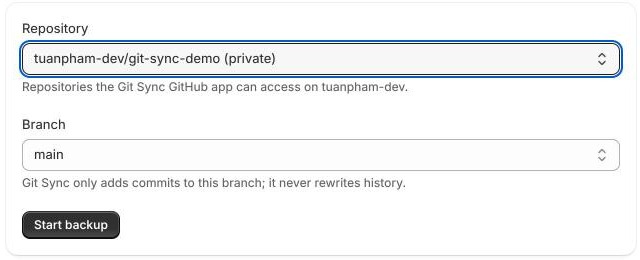
Back in Shopify, choose where the backup goes. Git Sync creates the branch with its first commit if the repository is empty. The first backup reads everything in the store and can take a few minutes on a large catalogue. You can keep working while it runs.
Was this article helpful?
Related articles
Still need help?
Contact support